What Is an MES and What Sets It Apart From a BI Tool?
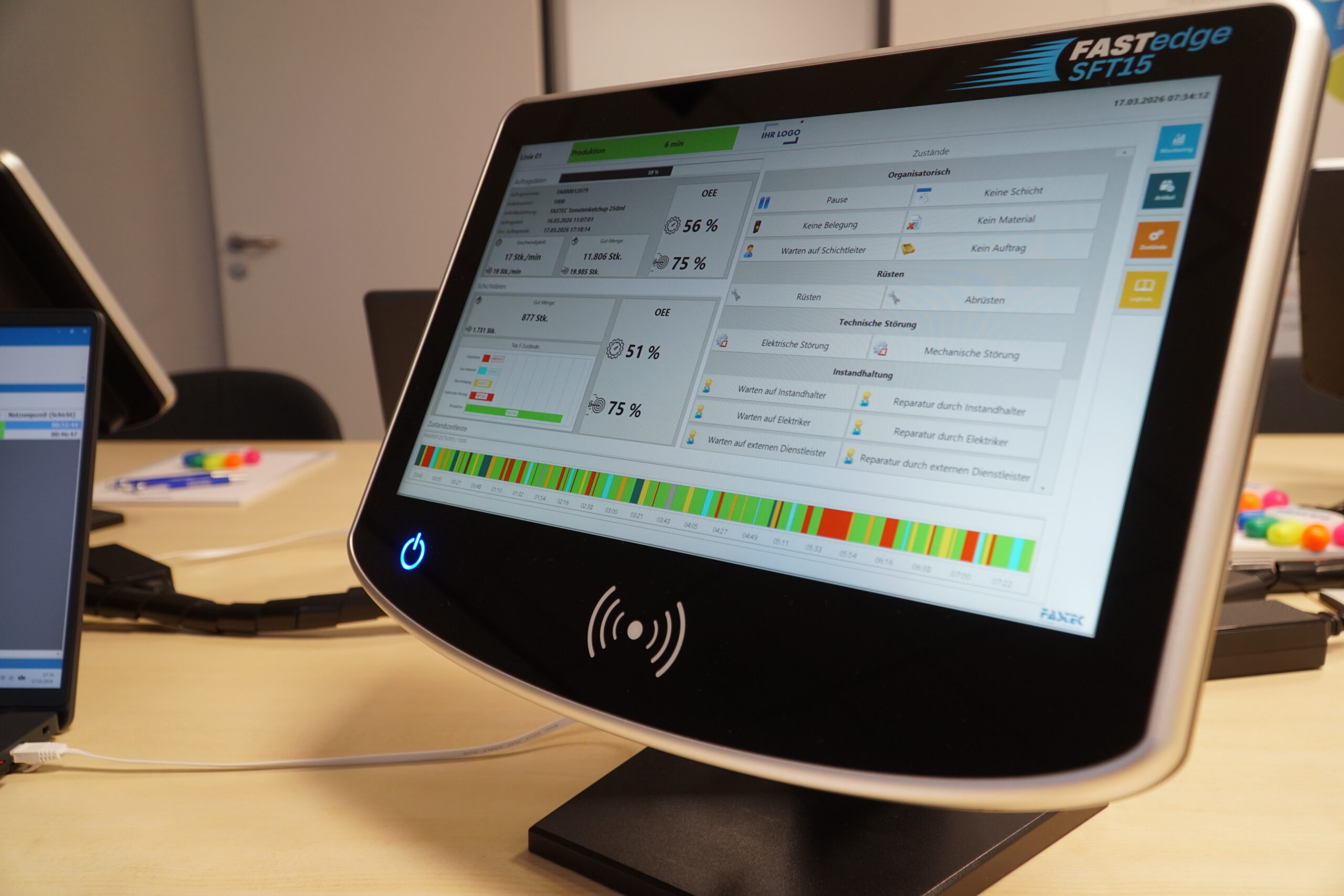
A Manufacturing Execution System (MES) is software designed to control, monitor, and optimize manufacturing processes. Positioned between the ERP system and the shop floor, an MES provides a real-time view of what is actually happening in production – not just what happened in the past. Machine data, production orders, quality information, and labor times are captured directly at the source, connected, and transformed into actionable insights.
A BI tool collects data from multiple sources, processes it, and presents it through reports, dashboards, and visualizations. It supports management in analyzing KPIs and gaining visibility into business performance. However, BI tools are inherently retrospective: they show what has already happened. They are not designed for real-time production operations or day-to-day operational decision-making.
This distinction is critical: while BI tools provide transparency into “what happened,” an MES enables visibility into “what is happening now” – giving teams the ability to take immediate action on the shop floor.
The practical impact of this difference becomes clear when looking at food manufacturing.
Practical Example: FASTEC 4 PRO and Power BI Working Together
A mid-sized food manufacturer operates multiple filling and packaging lines. Tight production schedules, strict hygiene requirements, and short shelf-life windows leave little room for unplanned downtime. The existing Power BI dashboard shows that the availability of a filling line was 69 percent last month. This is too low. However, the dashboard does not answer the key question: Why? Was CIP cleaning performed outside the planned schedule? Did a batch changeover result in extended setup times? Was there a shortage of raw materials? Was there an unplanned equipment failure? Without this level of transparency, improvement measures remain speculative.
Step 1: FASTEC 4 PRO Captures What Is Really Happening
The MES FASTEC 4 PRO is directly connected to the filling and packaging equipment, capturing every machine state down to the second. The system detects whether a line is running, idle, or experiencing a fault. At the same time, the respective reason is recorded, such as CIP cleaning, batch changeover, material shortage, technical fault, or planned downtime. All machine states are assigned to the active production order and the corresponding batch. In addition, fill quantities, scrap, fill weights, and quality data such as seal integrity are captured directly. This creates a complete and traceable data foundation without any manual effort.
Step 2: FASTEC 4 PRO Provides Comprehensive Analytics Directly Within the MES
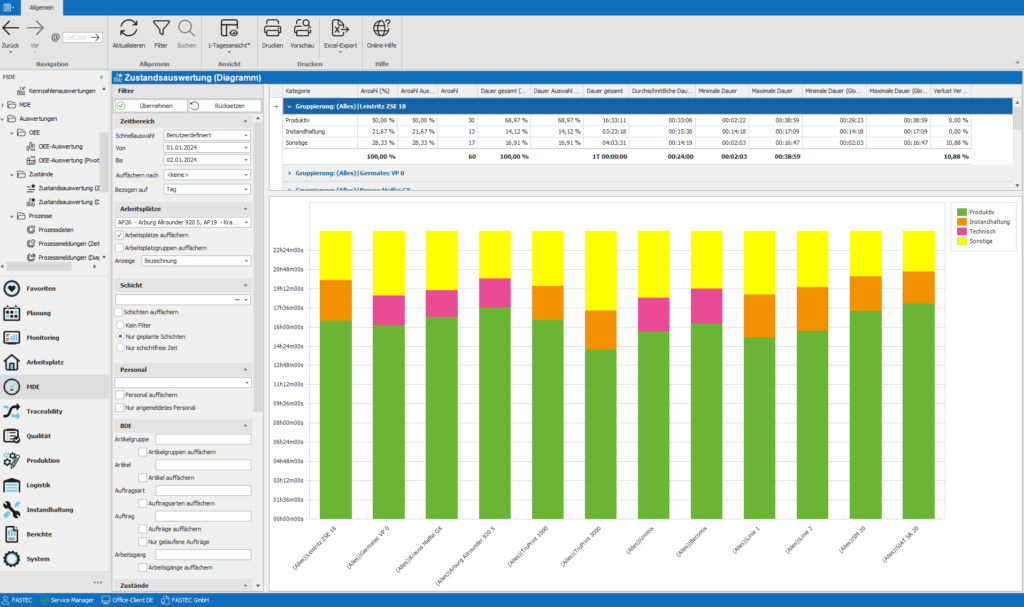
FASTEC 4 PRO includes a comprehensive analytics package directly within the system. OEE by line, shift, and batch, detailed loss time analysis, shift reports, trend reports, and batch-specific quality documentation – everything is available directly in the MES without the need for external tools. The production manager can see on the dashboard which line is currently underperforming and why. This provides everything needed for daily operational management, meaning a BI tool is not required at this level. In addition, regulatory requirements specific to food manufacturers, such as batch traceability and hygiene documentation, are directly addressed within the MES.
Step 3: Power BI for Management and Enterprise-Wide Analytics
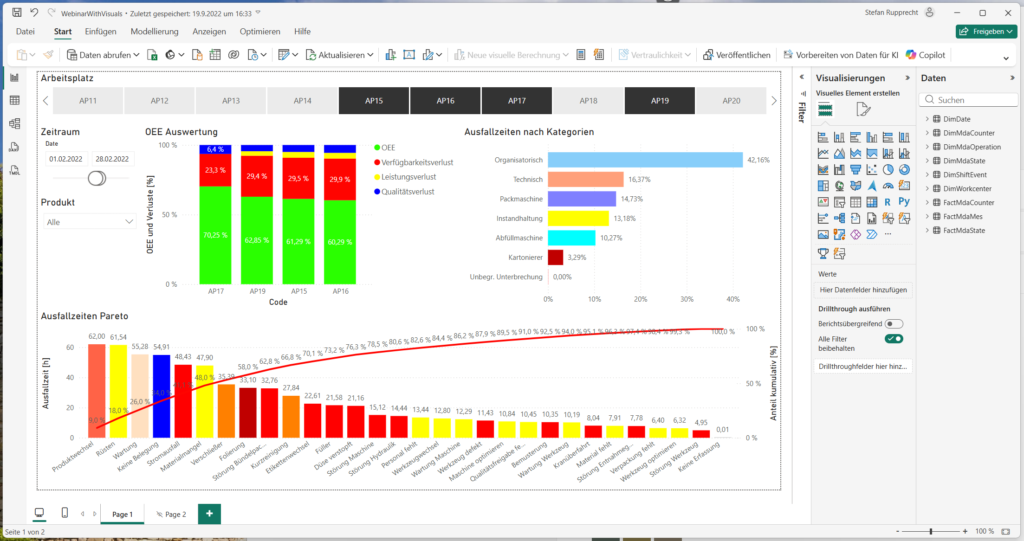
Power BI becomes relevant when MES data needs to be extended beyond the shop floor. FASTEC 4 PRO provides clean, structured key performance data through a standardized database connection. Power BI can then combine this information with ERP data to, for example, visualize production costs per batch, compare OEE performance across multiple sites, or identify quality trends across different plants. For executive management that wants to view KPIs from various sources within a single interface, this provides significant value. However, it is not required for the day-to-day operational control of production.
Conclusion: Two Tools That Complement Rather Than Replace Each Other
FASTEC 4 PRO functions as an MES and provides analytics specifically designed for daily manufacturing operations. Power BI is not a requirement but an option that becomes valuable when MES data needs to be combined with other business data or prepared for management-level reporting. However, companies that believe a BI tool alone is enough to manage production are building their decisions on an unstable foundation. The data foundation required for meaningful analytics is created in the MES – not in the reporting tool built on top of it.